
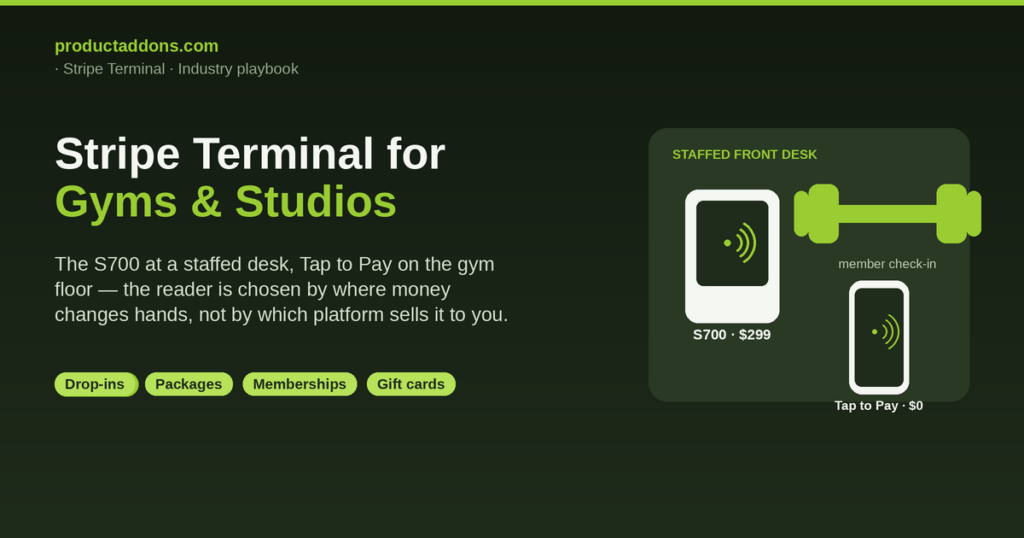
The best card reader for a gym or studio is the Stripe Reader S700 ($299) or BBPOS WisePOS E ($249) at a staffed front desk, and Tap to Pay ($0 hardware) or a Stripe Reader M2 ($59) for trainer-led or pop-up checkout — chosen by where money actually changes hands, not by which management platform sells it to you. That is the whole recommendation, and it deliberately sidesteps the answer every other result gives you, which is “buy our gym software and the reader comes with it.”
Search “best card reader for a gym” and you get a wall of management platforms — Mindbody, Glofox, TeamUp, Wellyx, Gymtiva, PerfectGym, Rock Gym Pro — each framing the Stripe reader on your front desk as a feature of their subscription. Every one of them runs on Stripe underneath (Mindbody Payments is built on Stripe Connect), which is the tell: Stripe Terminal is already the fitness industry’s standard rail. The question no incumbent answers honestly is what happens if you want to run that rail directly — with unified Stripe reporting and drop-ins, class packages, memberships, and gift cards modeled as product add-ons on one in-person checkout — without paying a management-platform layer on top. That is our lane, and it is what this guide covers.
This is a cluster piece under the Stripe Terminal industry use-case guide, and it pairs with the spa and wellness setup guide — its front-desk-and-membership sibling. Where you need the deeper hardware detail, we point to the 2026 Stripe reader guide; everything about specs and prices below is cited to Stripe’s own device pages, because the fitness listicles routinely get them wrong.
What’s the best card reader for a gym or studio?
The best card reader for a gym or studio depends on where the transaction happens. At a staffed front desk where members check in and buy, the Stripe Reader S700 ($299, 5.5-inch touchscreen) or the BBPOS WisePOS E ($249, 5-inch touchscreen) is the right register — both are smart readers that show an on-screen tip prompt and can run a POS on the device. For a trainer taking payment on the gym floor, a coach running a pop-up bootcamp in a park, or a studio owner ringing a walk-in during class turnover, Tap to Pay turns a compatible iPhone or Android phone into a contactless reader for $0 in hardware, and a Stripe Reader M2 ($59, Bluetooth) is the cheap physical fallback for the occasional chip-only card.
All four settle to the same Stripe account at the same card-present rate — 2.7% + 5¢ on Stripe’s standard in-person pricing — so the choice is not about cost per swipe. It is about the physical reality of your checkout: a fixed desk wants a durable screen a member can see and tip on; a moving trainer wants the phone already in their pocket. Specs and prices here come straight from Stripe’s device lineup, the S700 page, the WisePOS E page, and the M2 page.
One distinction to get right before you buy anything: Stripe Terminal is the card-present layer, not a full gym POS. It is the reader, the SDK, and the card-present rate. You pick a reader from Stripe and run a POS and add-ons layer on top of it to build the sale — the drop-in fee, the 10-class pass, the membership, the protein bar at the counter. The reader taps the card in about two seconds; the add-ons layer is what decides whether you can sell a package and a retail item in the same transaction. That layer is what Product Add-ons builds, and it is the part every management platform keeps proprietary.
Reader-by-checkout decision matrix for gyms and studios


Here is the honest, use-case-anchored version of the reader choice — the decision matrix no fitness-specific Stripe Terminal page publishes. Match the row to where money changes hands in your space:
| Checkout context | Recommended reader | Hardware cost | Add-on flows it handles well | On-screen tip prompt? |
|---|---|---|---|---|
| Staffed front desk (member check-in, retail, package sales) | Stripe Reader S700 | $299 | Drop-ins, packages, memberships, gift cards, retail — all on one screen | Yes (on-reader) |
| Busy desk, tighter budget | BBPOS WisePOS E | $249 | Same as S700, slightly smaller screen | Yes (on-reader) |
| Trainer-led / gym-floor checkout | Tap to Pay on phone | $0 | Drop-in + single add-on, membership sign-up | In-app prompt |
| Pop-up class, bootcamp, event | Tap to Pay (+ M2 backup) | $0 (+$59) | Drop-in, day pass, gift card | In-app prompt / on-receipt |
| Chip-only card fallback | Stripe Reader M2 | $59 | Any single sale | On-receipt only |
Two nuances the roundups skip. First, on-reader tip prompts — the screen that suggests 15/20/25% before the card is presented — are only available on the S700, WisePOS E, and WisePad 3, per Stripe’s tipping docs; the M2 supports on-receipt tipping only, and Tap to Pay handles tips in the app. If tipping matters for your trainers, that pushes you toward a smart reader at the desk. Second, the S700 and WisePOS E both support offline mode, which keeps you taking cards through a brief Wi-Fi drop at a crowded event — useful for a pop-up in a park.
Bundled gym software vs. running Stripe Terminal directly: the honest trade-off
The real decision is not which reader — it is whether to run Stripe Terminal directly or adopt a management platform that bundles it. Here is the neutral version neither side writes.
A management platform (Mindbody, Glofox, TeamUp, Wellyx, PerfectGym, Rock Gym Pro) is worth the subscription when you need the whole operational suite: class scheduling, member self-service booking, automated waitlists, staff payroll, access control, and marketing automation, with payments as one integrated piece. If your business lives and dies by class booking and you want one vendor to own it end to end, that bundle earns its monthly fee, and the Stripe reader on your desk is doing the work regardless.
Running Stripe Terminal directly with an add-ons layer wins when payments and catalog flexibility are the priority and you would rather not pay a platform tax on every transaction to get them. You get unified Stripe reporting across in-person and online, direct control over how you model drop-ins, packages, and memberships, and the freedom to sell retail and services in the same checkout without waiting for a platform’s roadmap. The honest caveat: you are responsible for stitching booking to payment yourself (or living without deep scheduling), so a class-heavy studio that needs real-time booking should weigh that. A strength-gym, a boxing garage, a climbing wall, or a boutique studio that mostly sells passes, memberships, and retail at a desk is a strong fit for the direct path. When a management platform genuinely is the right answer for your operation, use one — the authority here comes from saying so.
Selling drop-ins, class packages, and memberships as product add-ons

The technique the management platforms keep proprietary is simple: model your revenue types as configurable product add-ons and modifiers on the in-person checkout, so a front-desk sale is a couple of taps instead of a workaround. This is the productaddons.com/-native answer to “how do I actually sell my gym’s products on a Stripe reader,” and no competitor in the ranking set explains it at the catalog level.
In practice, you build a small catalog of add-ons that sit on top of the Terminal payment:
- Drop-in fee as a base product — a single-visit charge a walk-in taps to pay in seconds.
- Class packages as quantity-based add-ons — a 5-, 10-, or 20-class pass sold as one line item, with the pass count tracked against the member.
- Memberships as recurring products — a monthly or annual tier that a member starts in person and that renews on Stripe Billing afterward (see in-person subscription renewals for how a renewal is taken at the desk).
- Gift cards as a sellable and redeemable add-on — a birthday gift card bought at the counter and later redeemed against a pass or membership (the mechanics are the same ones in gift cards at the register).
- Upgrades and modifiers — a guest add-on, a reserved-bike surcharge, a personal-training block appended to a base membership.
Tie each sale to the member with metadata on the Stripe PaymentIntent so your reporting knows who bought the 10-class pass, not just that a pass was sold. That metadata is what makes a direct-Stripe setup feel like a real gym system instead of a bare card reader — and it is standard Terminal integration, documented in Stripe’s Terminal docs.
Drop-in fee and retail on a single checkout
A concrete flow that is described nowhere in the competitor set: a walk-in pays a drop-in fee and grabs a shaker bottle or a supplement in one transaction. On a direct Stripe Terminal setup with an add-ons layer, the front-desk staffer builds the sale — drop-in fee plus the retail item as a second line — and the member taps once on the S700 for the combined total. One tap, one receipt, one Stripe charge, with the retail SKU tracked against inventory and the drop-in tracked against the visit.
This matters because retail is margin, and a gym that makes buying a protein bar as frictionless as checking in captures impulse revenue a booking-first platform often buries two screens deep. Loyalty works the same way: points or rewards earned on the combined purchase (see points and rewards at the register) give the member a reason to buy the bar at your counter instead of the gas station on the way home. The add-ons layer is what makes “class plus retail plus rewards” a single fast checkout rather than three separate rings.
Does Stripe Terminal work with Mindbody, Glofox, or TeamUp?
Yes — and understanding how clarifies the direct-vs-bundled choice. Mindbody, Glofox, TeamUp, and most of the fitness-management field run their in-person payments on Stripe, which is why they deploy the same S700 and WisePOS E readers you would buy directly. Mindbody’s own Stripe customer story confirms it deployed Stripe Terminal for in-studio EMV, with Mindbody Payments built on Stripe Connect. So the reader hardware is identical; what differs is who owns the software layer and the reporting.
If you run one of these platforms, your Stripe reader is managed through the platform — you get its booking and member tools, and it takes a cut of the processing. If you run Stripe Terminal directly, you own the Stripe account, the reporting, and the add-ons catalog, and you trade away the platform’s built-in scheduling. What a direct-Stripe operator gives up is deep class booking and member self-service; what they gain is unified reporting, lower per-transaction overhead, and full control over how packages and memberships are modeled. Neither is universally right — it is a genuine trade-off, and the fact that no management vendor will write it plainly is exactly why it is worth writing.
Handling recurring membership billing alongside in-person card payments

Recurring memberships and in-person card payments coexist cleanly on Stripe: you take the first payment card-present on the reader, then let Stripe Billing carry the recurring charges on the saved payment method. A member walks up, signs up for a monthly tier on the S700, taps once, and the subsequent months bill automatically — no second trip to the desk. When a card expires or a member wants to renew in person, you handle it at the reader the same way you took the first payment; the in-person renewals flow covers that path. Modeling the membership as a recurring add-on keeps the in-person sign-up and the automated billing on one system, so your monthly recurring revenue and your counter sales live in the same Stripe reporting instead of two disconnected tools.
Gyms and studios Stripe Terminal FAQ
What’s the best card reader for a gym or studio? The Stripe Reader S700 ($299) or WisePOS E ($249) at a staffed front desk, and Tap to Pay ($0 hardware) or a Stripe Reader M2 ($59) for trainer-led or pop-up checkout. All settle to one Stripe account at 2.7% + 5¢, so choose by where money changes hands, per Stripe’s device lineup.
How do I take drop-in class fees on a card reader? Model the drop-in as a base product in your add-ons catalog and ring it as a single line item on the reader. The member taps to pay in about two seconds, and the visit is tracked against them via metadata on the Stripe PaymentIntent.
Can I sell class packages, memberships, and gift cards on a Stripe Terminal? Yes. A 10-class pass is a quantity-based add-on, a membership is a recurring product that renews on Stripe Billing, and a gift card is a sellable, redeemable add-on — all on the same in-person checkout. This is the productaddons.com/-native technique the management platforms keep proprietary.
Does Stripe Terminal integrate with my gym software (Mindbody, Glofox, TeamUp)? Those platforms run their in-person payments on Stripe and deploy the same S700/WisePOS E readers, so integration is native to them. Running Stripe Terminal directly instead gives you unified Stripe reporting and catalog control while trading away the platform’s built-in scheduling.
Can I add retail (apparel, supplements) to the same checkout? Yes. A drop-in fee and a retail item ring as two lines in one transaction, tapped once for the combined total, with the retail SKU tracked against inventory and loyalty points applied to the whole sale.
Which readers show a tip prompt for my trainers? On-reader tip prompts are available on the S700, WisePOS E, and WisePad 3 per Stripe’s tipping docs. The M2 supports on-receipt tipping only, and Tap to Pay prompts for tips in the app.
Set it up right the first time
We have spent eight years building the WooCommerce-native POS and add-ons layer that sits on top of Stripe Terminal, and Jovvie is an official Stripe Partner — so this is not theory. If you run a gym or studio and want to sell drop-ins, class packages, memberships, gift cards, and retail on one Stripe reader without renting a management platform to do it, book a fitness setup consult and we will map your revenue types to a clean add-ons catalog on the reader that fits your desk. You can also start with Product Add-ons and build the package and membership flows yourself. Either way, the reader is the easy part; the catalog is where your front desk wins or loses the sale.
Hardware specs and prices cited from Stripe’s own device pages as of August 2026 and subject to change; confirm current figures at stripe.com/terminal/devices before purchase.
