
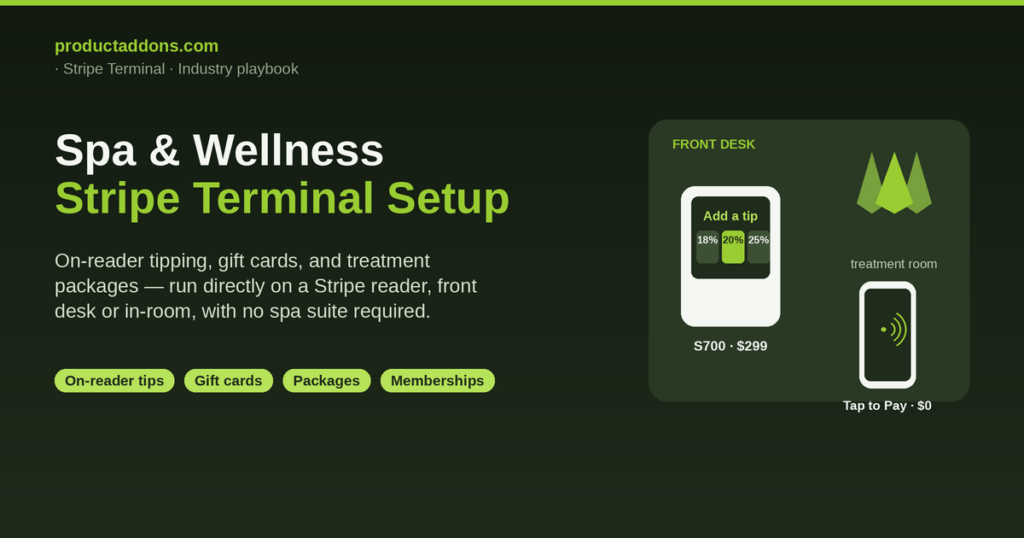
Spas use Stripe Terminal by putting a smart reader — the Stripe Reader S700 ($299) or BBPOS WisePOS E ($249) — at the front desk with on-reader tipping turned on, and a mobile reader (Tap to Pay at $0 hardware, or a Stripe Reader M2 at $59) in the treatment room, then selling treatments, packages, memberships, and gift cards as product add-ons on top of the card payment. That is the honest, direct-to-Stripe answer, and it is the one the spa-POS roundups never give you because they are selling you a suite instead.
Search “how do spas take payments” and the results are spa and salon software suites — Zenoti, Vagaro, GlossGenius, Boulevard — plus “best spa POS 2026” listicles that bundle appointments and payments into one subscription. Those suites run on card readers too, but they wrap the payment in a platform you rent monthly. If you want unified Stripe reporting and to run on-reader tipping, gift-card sales, and treatment packages directly on a Stripe reader — front desk or in-room — without a spa-suite subscription, that path exists and is barely documented anywhere. This guide documents it, and the tipping and gift-card mechanics below are cited to Stripe’s own docs.
This is a cluster piece under the Stripe Terminal industry use-case guide, and it is the wellness sibling of the gyms and studios setup guide — the two together seed a coherent front-desk-plus-memberships playbook. For deeper hardware detail, see the 2026 Stripe reader guide; every spec and price here is cited to Stripe directly.
How do spas use Stripe Terminal?
Spas use Stripe Terminal in two physical places: a staffed front desk and the treatment room. At the desk, a Stripe Reader S700 ($299, 5.5-inch touchscreen) or BBPOS WisePOS E ($249, 5-inch touchscreen) handles check-out, shows the client an on-screen tip prompt, and sells retail and gift cards. In the treatment room, where a therapist wants to close out without walking the client to the lobby, Tap to Pay turns a compatible phone into a contactless reader for $0 in hardware, and a Stripe Reader M2 ($59, Bluetooth) is the pocket-sized alternative. All settle to one Stripe account at the standard in-person rate of 2.7% + 5¢, so the decision is about the room, not the cost. Prices and specs come from Stripe’s device lineup, the S700 page, the WisePOS E page, and the M2 page.
The thing to understand before buying: Stripe Terminal is the card-present layer, not a spa POS. It is the reader, the SDK, and the card-present rate. You choose a reader and run a POS and add-ons layer on top to build the sale — the facial, the tip, the 3-massage package, the gift card, the retail serum at the counter. The reader taps the card in about two seconds; the add-ons layer is what turns a bare charge into a spa sale with tipping, packages, and gift cards attached. That layer is what Product Add-ons builds, and it is the exact territory the suites keep locked inside their subscription.
Front-desk vs. in-room checkout: which reader for a spa

The reader choice is a room-by-room decision. Match the row to where your client actually pays:
| Checkout context | Recommended reader | Hardware cost | On-screen tip prompt? | Best for |
|---|---|---|---|---|
| Front desk (check-out, retail, gift cards) | Stripe Reader S700 | $299 | Yes (on-reader) | The main register; client-facing tip screen |
| Busy desk, tighter budget | BBPOS WisePOS E | $249 | Yes (on-reader) | Same role, smaller screen |
| Treatment room (therapist closes out) | Tap to Pay on phone | $0 | In-app prompt | Paying in the room, no walk to lobby |
| Mobile / chair-side | Stripe Reader M2 | $59 | On-receipt only | A pocket reader for a therapist or mobile visit |
The critical nuance the roundups skip: on-reader tip prompts — the screen that suggests tip amounts before the client presents a card — are available only on the S700, WisePOS E, and WisePad 3, per Stripe’s tipping docs. The M2 supports on-receipt tipping only, and Tap to Pay prompts for a tip in the app. Because tipping is central to spa checkout, that alone is a strong argument for a smart reader at the desk where most tips are captured, with the mobile reader reserved for in-room convenience.
Setting up on-reader tipping for treatments

On-reader tipping is a documented Stripe feature, but no spa-vertical guide walks through enabling it — so here is the concrete setup. You configure tipping once through a Stripe Configuration object (via the Dashboard or the API), assign it to your account or a specific location, and the reader shows a tip selection screen before every payment.
- Open your Terminal configuration in the Stripe Dashboard (or create a Configuration object via the API).
- Choose a tipping mode. Stripe offers three: suggest smart tips (the reader dynamically shows percentages or fixed amounts depending on the pre-tip total), suggest percentages (three fixed percentages, e.g. 15%, 20%, 25%), or suggest amounts (three fixed dollar amounts).
- Set your currency and values. For a spa, percentages like 18/20/25% are typical; the client can also pick a custom tip or no tip.
- Use a tip-eligible amount to tip on services only, not retail. This is the setting spas need most. Stripe lets you set a tip-eligible amount different from the total, so percentage tips are calculated on the treatment and not on a bottle of shampoo — Stripe’s own documentation uses a salon selling haircuts and shampoo as the example. Set the tip-eligible amount to the service subtotal and the client sees an honest tip base.
- Assign the configuration and wait for it to apply. A WisePOS E can take up to about five minutes to receive a new tipping configuration; an S700 applies it shortly after connecting.
- Collect payment as normal. The client sees the tip screen, chooses, and taps. On confirmation, the tip is folded into the charge and reported in the PaymentIntent’s
amount_details, so your tip reporting is clean and per-transaction.
You can also skip the tip screen per transaction — for a pure retail sale or a package prepayment where a tip prompt would be awkward — using Stripe’s skip-tipping option. That flexibility, tipping on services and skipping it on retail, is exactly what a suite abstracts away and what you control directly here.
Selling and redeeming spa gift cards on a card reader

Gift cards are core spa revenue, and the productaddons.com/-native technique is to model a gift card as a configurable product/add-on at the in-person checkout — sold at the desk and redeemed later against a treatment. The roundups mention gift cards exist; none show you how to run them on a raw Stripe reader.
The sale side is a single line item: a client buys a $150 gift card on the S700, taps once, and walks out with a card or a code. The redemption side is the reverse — the recipient books a facial, and at check-out the gift-card balance is applied as a payment against the treatment total, with any remainder tapped on the reader. Modeling it as an add-on means the balance, the redemption, and the remaining charge all live in your Stripe reporting instead of a separate gift-card silo. The mechanics mirror the ones in gift cards at the register, applied to a wellness catalog. Loyalty rides along the same rail: points and rewards at the register let a returning client earn on every visit and retail purchase.
Treatment packages and memberships as product add-ons

A “3-massage package” or a “monthly facial membership” is unwritten territory in the competitor set, and it is straightforward as an add-on on the Terminal checkout. A package is a quantity-based product — the client prepays for three massages at the desk, taps once, and the remaining sessions are tracked against them via metadata on the Stripe PaymentIntent so your front desk knows how many are left. A membership is a recurring product: the client starts it in person on the reader, and Stripe Billing carries the monthly charge afterward, with in-person renewals handled at the desk the same way (see in-person subscription renewals).
This keeps prepaid packages, recurring memberships, gift cards, tips, and retail on one system with one report. A client can, in a single visit, redeem one session of a package, buy a retail serum, tip the therapist on the service portion only, and top up a gift card — and every piece is one clean Stripe checkout instead of four disconnected transactions across a booking tool, a gift-card app, and a card terminal.
Spa-POS suite vs. running Stripe Terminal directly: the honest trade-off
A spa-POS suite (Zenoti, Vagaro, GlossGenius, Boulevard) earns its subscription when appointment booking, staff scheduling, client records, and marketing automation are the center of your business and you want one vendor to own them with payments integrated. A high-volume day spa with dozens of therapists and a packed appointment book often does. Notably, some suites lean on their own hardware and lock-in; Zenoti markets “no proprietary hardware, no lock-in,” which tells you hardware flexibility is a real differentiator buyers care about.
Running Stripe Terminal directly with an add-ons layer wins when you want unified Stripe reporting, direct control over tipping and gift-card and package flows, and no platform cut on every charge — and you either have booking handled elsewhere or do not need deep scheduling. A boutique studio, a solo esthetician, a massage practice, or a wellness bar that mostly sells treatments, packages, gift cards, and retail at a desk is a strong fit for the direct path. The honest caveat is the same as anywhere: you trade away the suite’s built-in booking and member self-service, so weigh how much of your operation is scheduling versus selling. When a suite is genuinely the right call, use one — saying so is where the credibility comes from.
Spa & wellness Stripe Terminal FAQ
How do spas use Stripe Terminal? A smart reader (S700 or WisePOS E) at the front desk with on-reader tipping enabled, and a mobile reader (Tap to Pay or M2) in the treatment room — selling treatments, packages, memberships, and gift cards as add-ons on top of the card payment, all in one Stripe account per Stripe’s device lineup.
How do I add tipping to a Stripe card reader? Configure a tipping mode (smart tips, percentages, or amounts) on a Stripe Configuration object, assign it to your reader, and it shows a tip screen before each payment. Use a tip-eligible amount to calculate tips on services only, not retail, per Stripe’s on-reader tipping docs.
Which readers support on-reader tip prompts? The Stripe Reader S700, BBPOS WisePOS E, and BBPOS WisePad 3. The M2 supports on-receipt tipping only, and Tap to Pay prompts for tips in the app — which is why most spas put a smart reader at the desk.
Can I sell spa packages and memberships on a card reader? Yes. A 3-treatment package is a quantity-based add-on with sessions tracked against the client, and a membership is a recurring product that starts in person and renews on Stripe Billing — all on the same in-person checkout.
How do gift-card sales and redemptions work on Stripe Terminal? Sell the gift card as a single line item tapped on the reader, and redeem it later by applying the balance against a treatment total with any remainder tapped. Modeling it as an add-on keeps sale, balance, and redemption in your Stripe reporting.
Can therapists take payment in the treatment room instead of the front desk? Yes — Tap to Pay on a phone ($0 hardware) or a Stripe Reader M2 ($59) lets a therapist close out in the room. Tips are handled in-app or on-receipt rather than on an on-reader prompt, so many spas still capture the tip at the desk on a smart reader.
Does Stripe Terminal work with my spa booking software (Zenoti, Vagaro, GlossGenius)? Those suites bundle their own payment layer, so integration is native to them. Running Stripe Terminal directly instead gives you unified Stripe reporting and catalog control while trading away the suite’s built-in booking.
Set it up right the first time
We have spent eight years building the POS and add-ons layer that rides on top of Stripe Terminal, and Jovvie is an official Stripe Partner — so this is practitioner experience, not theory. If you run a spa or wellness studio and want on-reader tipping, gift cards, treatment packages, and memberships running directly on a Stripe reader — front desk or in-room — without renting a suite to get them, book a spa setup consult and we will map your treatments, tips, and packages to a clean add-ons catalog on the reader. You can also start with Product Add-ons and build the gift-card and package flows yourself. The reader is the easy part; the add-ons catalog is what makes it feel like a real spa system.
Hardware specs and prices cited from Stripe’s own device pages as of August 2026 and subject to change; confirm current figures at stripe.com/terminal/devices before purchase.
